
 العربية
 Español
 中文
中文 Deutsch
 Français
 Português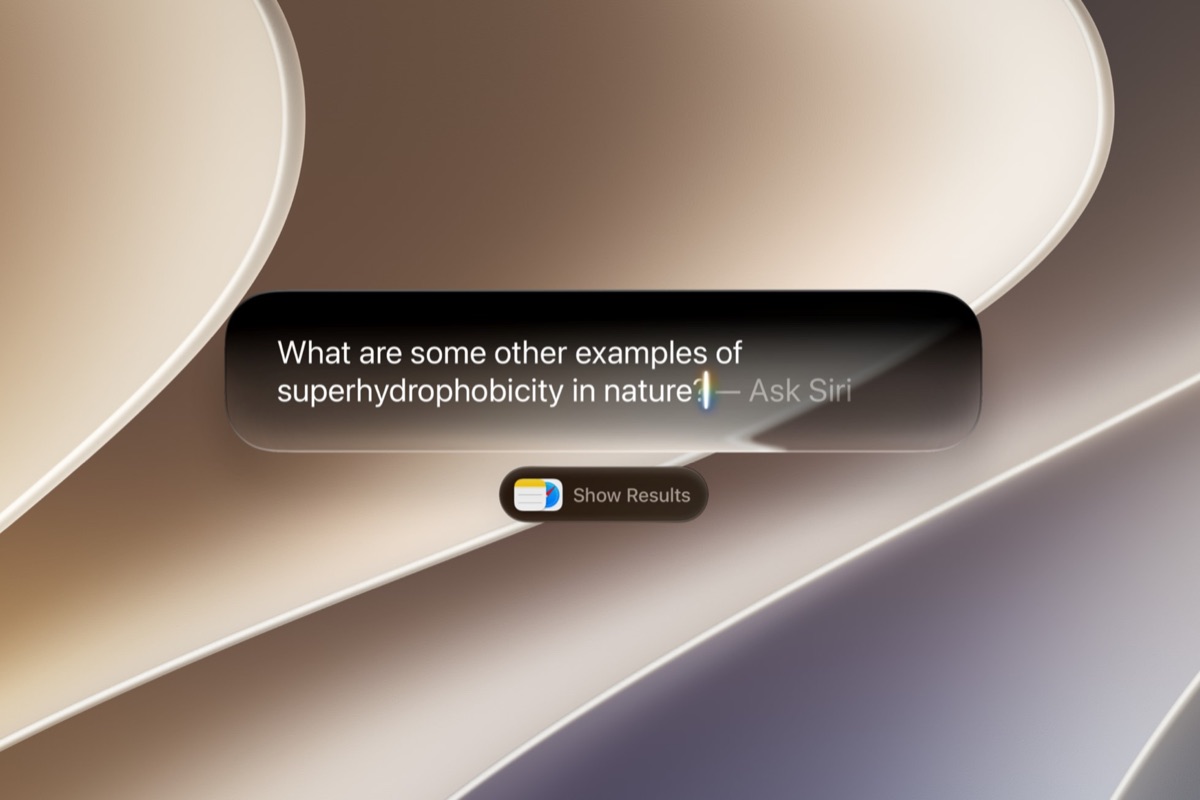
For five weeks, the most interesting thing Apple built this year was locked behind a $99-a-year developer account. That ended on Monday. On July 13, 2026, Apple released the first public beta of iOS 27, and with it opened Siri AI - the ground-up rebuild of its assistant, unveiled at WWDC on June 8 - to anyone with a compatible iPhone and a free Apple Beta Software Program account. Public betas of iPadOS 27, macOS 27 Golden Gate, watchOS 27, tvOS 27, and HomePod Software 27 arrived the same day.
This is the moment the new Siri stops being a keynote demo and starts being something ordinary people use on their own phones, with their own photos and messages, all day. Here is what it does, what else is in the beta, and what the fine print says.
- Released: Monday, July 13, 2026 - the first public beta
- Headline: Siri AI - conversational, onscreen-aware, personal-context search, action across apps
- Also in public beta: iPadOS 27, macOS 27 Golden Gate, watchOS 27, tvOS 27, HomePod Software 27
- Cost: free - enroll in the Apple Beta Software Program (no developer account)
- Runs on: iPhone 11 and later, plus iPhone SE (2nd gen and later)
- Siri AI needs: iPhone 15 Pro or newer (Apple Intelligence hardware)
- Finished release: expected in the fall, alongside the new iPhones
1. What Siri AI Actually Does
The old Siri was a command parser: you learned its phrasing, and it handed you a web search when it missed. Apple describes the replacement as a profoundly more capable and conversational assistant with personal context understanding, broad world knowledge, and onscreen awareness. Four things changed, and they compound:
- Personal context. Siri can search across your own messages, emails, and photos. Find the photo from that trip. Summarize the group text you missed. Pull the appointment out of a message and put it in the calendar.
- Onscreen awareness. It can see what you are looking at and answer questions about it - no copying, pasting, or re-describing.
- World knowledge. Broad, up-to-date answers on nearly any topic, wired into Spotlight.
- Action across apps. The pivot from finding to doing: Siri can carry out the task in the app rather than handing you a link.
Apple's own framing came from Craig Federighi, senior vice president of Software Engineering: “With access to broad world knowledge for up-to-date answers on virtually any topic, along with onscreen awareness and personal context understanding, Siri AI can help users take action across apps more naturally than ever.”
Siri AI is not iPhone-only: it spans iPad, Mac, Apple Watch, CarPlay, AirPods, Apple TV, and Vision Pro.
2. The Google Question - and Why It Is Not a Rebranded Gemini
The most-discussed detail from WWDC was that Apple did not build its new foundation models entirely alone. It worked with Google, and the reporting is specific about the shape of that deal: Apple distilled Google's Gemini down into smaller, efficient models tuned for Apple silicon, trained further on Apple's own data. The models that ship are Apple's, not Gemini with a new label.
That distinction matters practically, not just legally. Distillation is what lets a large teacher model's behavior be compressed into something small enough to run on the phone in your pocket - which is the whole architectural bet.
Requests that need more compute than the device has go to Private Cloud Compute. Apple's stated guarantee: your personal data is not stored, nor made accessible to Apple or anyone else. The unusual part is the verification model - Apple publishes the server software images and invites independent experts to inspect them, so the promise is meant to be checkable rather than merely asserted. For an assistant whose whole value comes from reading your messages and photos, this is the load-bearing claim.
3. Nine More Things Worth Testing
Siri gets the headline, but the beta is broad. The rest of the list, roughly in order of how often you will notice it:
| Feature | What it does |
|---|---|
| Performance | Snappier animations, faster app launches and AirDrop transfers. Mark Gurman has described the 27 releases as Snow Leopard-like - weighted toward speed and stability rather than feature count. |
| Liquid Glass slider | A system-wide control for the transparency of the interface, from fully clear to heavily frosted - a direct answer to last year's readability complaints. |
| Visual Intelligence | Point the camera: identify objects, get nutrition information, split a receipt among friends. |
| Write with Siri | System-wide drafting that adjusts tone, gives feedback, and matches your writing style. |
| Photos Clean Up | Better object removal, plus new border-extension and perspective-adjustment tools. |
| Passwords | Safari integration that automatically replaces weak and compromised passwords for you. |
| Safari extensions | Describe an extension in plain language and have it built - styling or functionality, no code. |
| Home | HomeKit Secure Video gains 2K/4K recording, AI-written clip descriptions, and natural-language search of your footage. |
| AirPods EQ + Shortcuts | Custom EQ for AirPods 4, Pro 2, Pro 3 and Max 2; Shortcuts you create by simply asking for them. |
iOS 27 also rebuilds Screen Time and parental controls around Time Allowances and Schedules, and Safari picks up automatic tab organization.
4. Will Your iPhone Run It?
Two different bars, which is the single most common point of confusion:
| Tier | Requirement |
|---|---|
| iOS 27 itself | iPhone 11 and later, plus iPhone SE (2nd generation and later) - the same list as iOS 26. Performance gains apply here. |
| Apple Intelligence + Siri AI | iPhone 16 or later, or iPhone 15 Pro / 15 Pro Max |
| Most advanced on-device features | iPhone Air, iPhone 17 Pro, or iPhone 17 Pro Max |
| Beyond iPhone | iPad mini (A17 Pro) or iPad with M1+; MacBook Neo (A18 Pro) or Mac with M1+; Vision Pro; Apple Watch Series 9+, Ultra 2+, or SE 3 paired with a compatible iPhone |
Installing it is deliberately easy: sign in at the Apple Beta Software Program site, enroll your Apple Account, then open Settings > General > Software Update > Beta Updates and pick iOS 27 Public Beta. Back up your device first - beta software is beta software.
5. Why This Release Matters More Than the Feature List
Apple has an installed base measured in the billions of active devices. Even a small fraction of iPhone owners opting into a public beta produces a test population that dwarfs any internal QA effort - and, crucially, tests the assistant against real messages, real photo libraries, and real accents, in the unglamorous conditions where assistants historically fall apart.
That is the whole point of shipping a public beta two months before release. The demo was in June. This is the part where it meets everyone's actual life.
What We Still Don't Know
- The exact release date. Fall is the expectation; reporting points to a September keynote and a mid-September release, but Apple has not announced a date.
- How it holds up at scale. Personal-context search is exactly the kind of feature that shines in a demo and gets tested honestly only by millions of messy real libraries.
- Full language and region timing. The rollout begins in English, with wider availability to follow.
- What ships versus what slips. Beta features are not promises; some change or disappear before release.
Sources
- Apple Newsroom: Apple introduces Siri AI, a profoundly more capable and personal assistant · Apple unveils the next generation of Apple Intelligence · Apple Beta Software Program
- TechCrunch: Apple opens its new Siri AI to everyone with the iOS 27 public beta
- MacRumors: iOS 27 public beta - 10 new features worth testing · Apple announces macOS 27 Golden Gate
- 9to5Mac: iOS 27 public beta is here with Siri AI, iPhone speed upgrades, and more
- Forbes: iOS 27 public beta release date and how to install it
Curated by Jerry Cards - jerrycards.com. We research the week's most consequential tech, science, and business news so you don't have to. More at jerrycards.com/news.